
Google Meet comes in Three Variety.
Apart from the free version Google also offers two paid variants of Google Meet which essentially works exactly like the free Version but come with added benefits such as user capacity, Security, and dedicated customer support. Here we will only be looking at the differences in features accessible via the User Interface of Google Meet. But for the reference in the end a chart with a link to see the pricing & technical comparison has been put.
We Love Google Meet!
It’s known to everyone how useful Google Meet turned out to be in the covid pandemic times. Not only for the corporate world but it was a lifeline for educational institutions as well as played a vital role in providing an easy way to keep up with free human connection via effortless video calls.
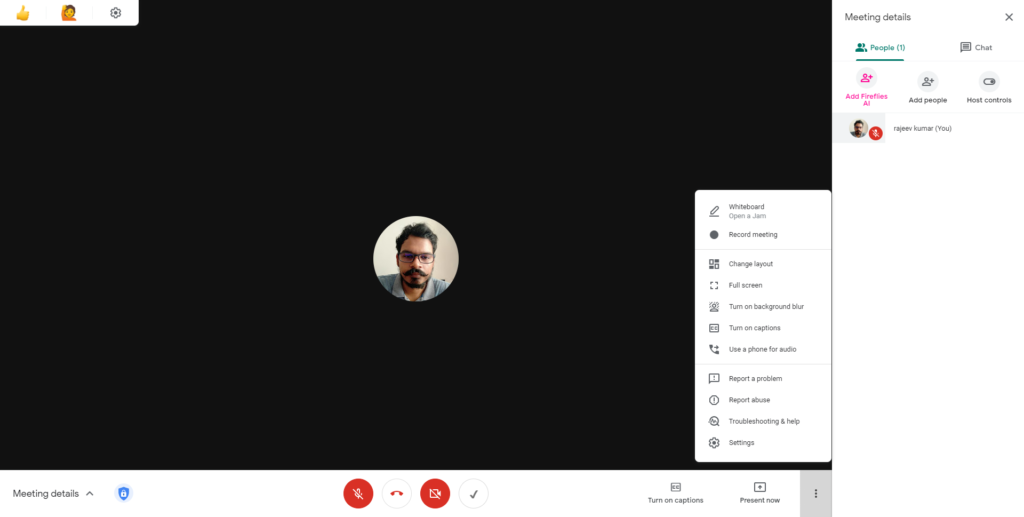
Above is the screenshot of the Google Apps Education/Paid version of Google Meet. Try to compare it with the below free Basic version’s screenshot.
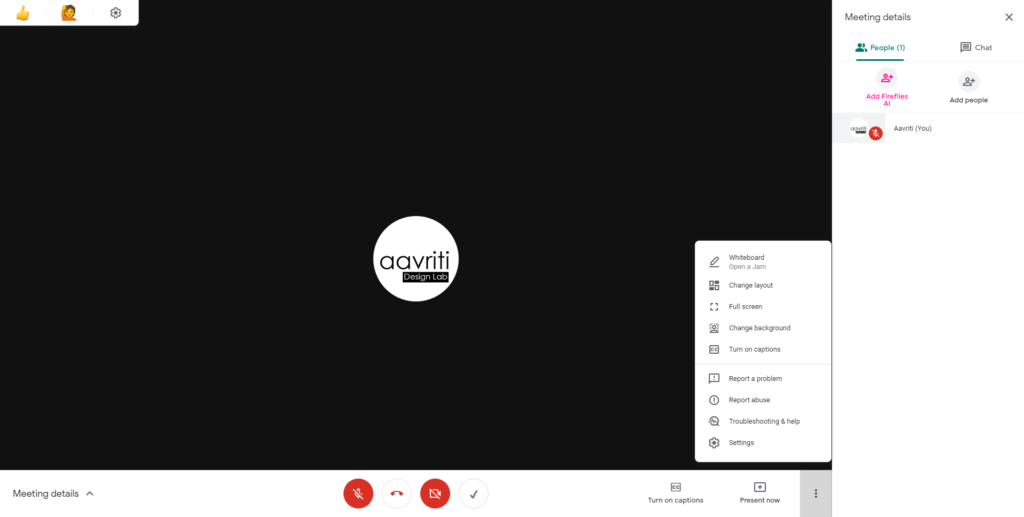
At a glance, you would realize some options are missing from the chat panel, and also settings have few options lesser. The meeting details popup menu on the bottom left corner also has that blue warning mark missing. Below is a comparison between what you get extra with the paid/ educational version of Google meet. we will also try to find out if it’s worth putting some money into it or not?
Ignore the Extra Tick icon right beside the video button and also the little widget on the top left corner. These are a couple of chrome extensions i use to improve the experience and functionality of Google Meet. However in recent time the way Google have added features is suggesting that they have big plans for Meet. Since it is built on Web RTC platform, with the backing of Google the possibilities are limitless.
Enough said ! let’s have a look at the added features we get with Paid/Educational version one by one.
Free Vs Paid Google Meet has three major differences!
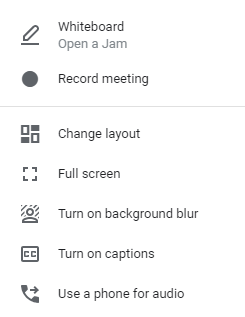
01 | Record the Meeting with a Chat Log
A most sought out feature and a must-have for Corporates and Educational users. To be able to record and access the Google Meet sessions is absolutely amazing feature offered in Paid/ Educational version. With the power of Google Cloud Server, the processing of videos take much lesser time compared to any other Videoconferencing Service. Also, the Video is stored in Google Drive automatically so you get parental control over sharing as well.
02 | Host Controls
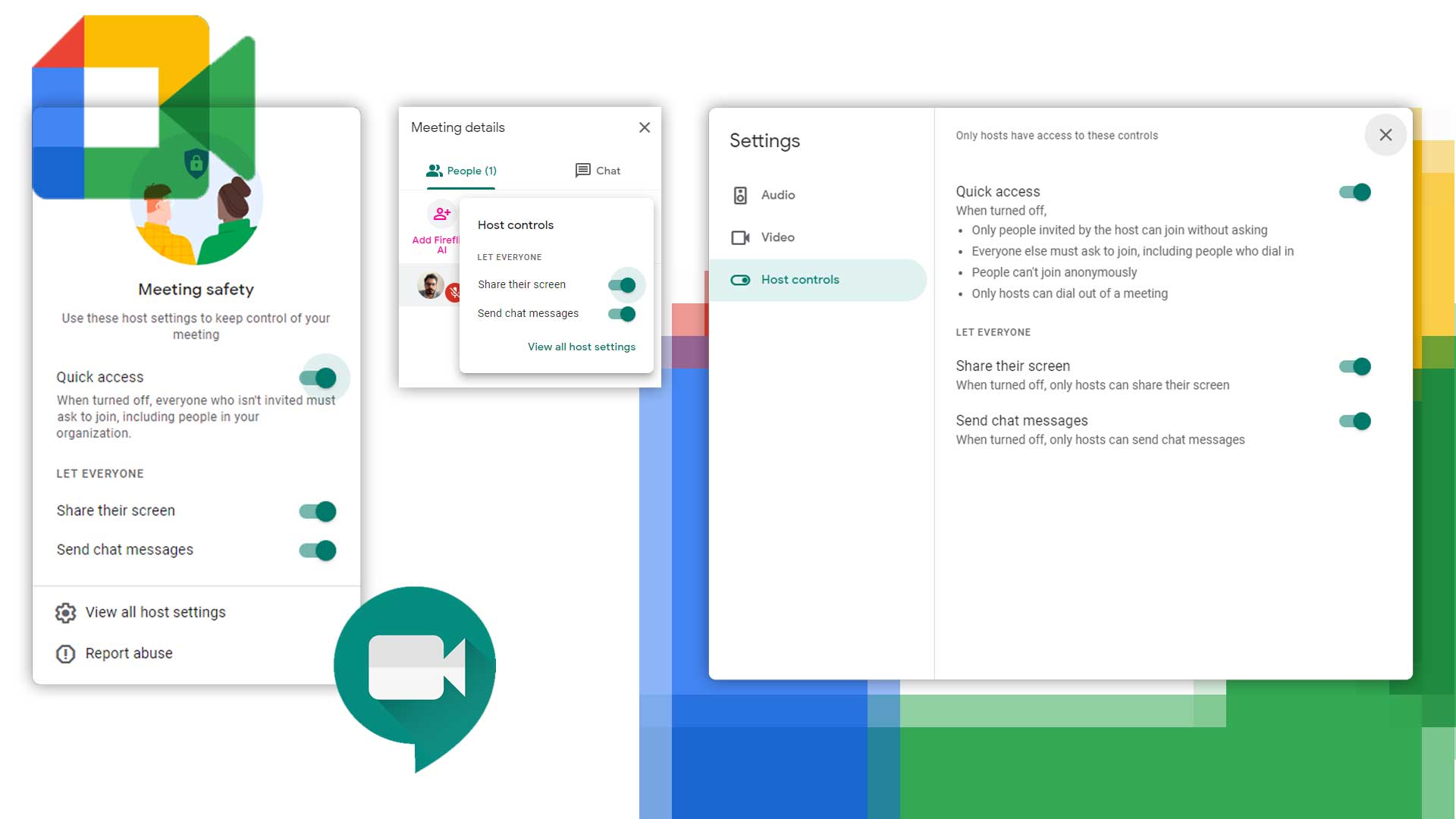
This is one major feature that is a plus point in the Paid/Educational version of Google meet. It allows the host to control Screen sharing & Chat Messages. This also enables hosts to restrict access only to people who have received the invite. The Educational version by default prompts with a notice when somebody from outside the domain tries to get into an active Meet session but this additional control allows you to lock the meeting even for the same domain user and you can control who stays and who doesn’t.

03 | Connect Via Phone Audio
This feature allows the user to connect to an ongoing meeting via a dial-up voice connection. This comes very handy in areas where internet connection is unstable but the mobile network is available. Call rates may be applied depending on the service provider.

So now the question is that should we go for a paid subscription or stick to basic free version?
It totally depends upon your requirement. With a little investment you can get plethora of amazing features but the free version is also not bad apart from the security concerns.
Free version :
- Casually meeting people online. With friends & family.
- Use it as a group video calling service
- Non sensitive exchange of information (the calls are end to end encrypted anyway but just in case someone else got the link and tries to abuse it)
- Limited no of people (the free version supports upto 100 but the lesser the better without host controls)
Paid Version :
- If you have got extra money ( just joking)
- For security reasons ( if sensitive information / content is getting exchanged)
- Suited for large group of concurrent users ( host controls adds another set of security protocols)
- video recording / chat log
Above is just a summary of prominent features for rest refer to the chart below and use this link to know more.

Too informative…
Thanks